
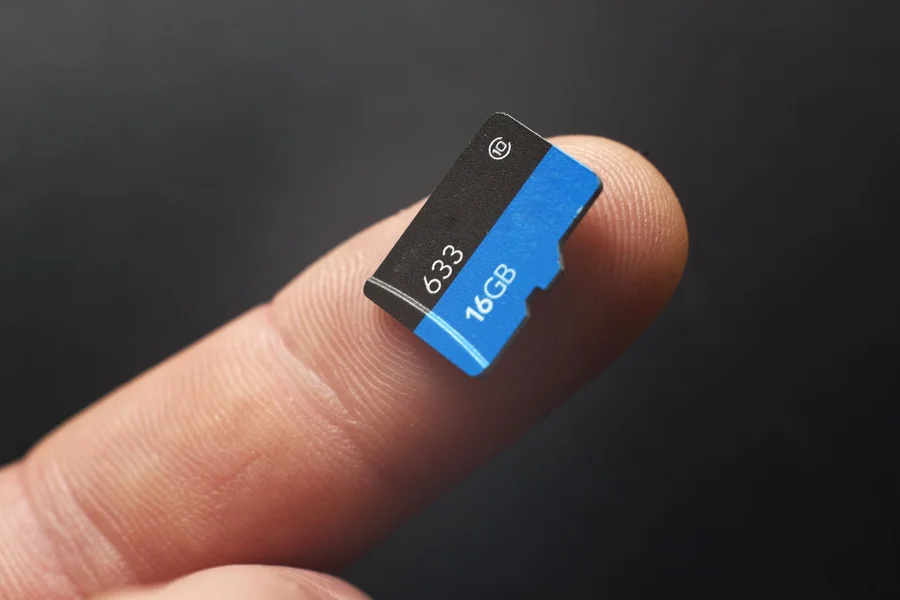
When your phone suddenly fails to accept your memory card, or you can get an error message, it is a stressful situation, particularly when you have important files in it. The information on how to repair corrupted sd card on android will help you to save your information and avoid its irreversible loss. This problem is rather widespread and most likely to occur because of improper ejection, malware, file system errors, or even physical damage.
The good news is that not all the corrupted SD cards cannot be repaired. The issue can be resolved with built-in Android functions or a computer in most instances. This tutorial will take you through some of the most useful and harmless ways of reformatting your SD card and salvaging your files without further harm.
Indicators of a Corrupted SD Card
It is also necessary to ensure that your SD card is really corrupted before repairing it. It can be seen that there are some warning signs that show that there is a problem.
The messages displayed on your phone may include SD card not detected or SD card is damaged. Occasionally, the files in the card can just disappear or be rendered unreadable. You will also be able to see that the apps stored on the card do not work correctly.
The next indicator is when your phone or computer tells you to reformat the SD card when you are not intending to do so. Formatting is a quick solution to a problem but it wipes all the data away, therefore one should exhaust all other remedies before turning to formatting.
The knowledge of these symptoms can assist you in responding fast to eliminate losing valuable data.
Turn Your Phone off and re-insert SD card
In some cases, the problem is short lived and a restart is all that is required. Switch off your android phone and take off the SD card.
Look at the card and remove dust or dirt and cleanse the card softly. In addition, check the card slot and make sure that it is not blocked.
Put the SD card back in its place and restart your phone. This may re-establish the contact and fix small glitches.
At this point, so long as your phone identifies the card, then save your information before it causes any harm to you in the future.
Repair SD Card with the help of Android Settings
Android devices usually have the tools that can be installed to repair the minor SD card problems. You should find the settings of your phone and go to the storage.
Find a SD card and see whether it has a repair or format option. There might be a Fix or Mount option on some of the devices.
In case the card is not mounted, make a second attempt to mount it. This will enable your phone to read the card.
Be careful with the format choice. It should be used in case other approaches fail and only after you have saved your information or data, since it will destroy all the information in the card.
Repair the SD Card with the help of a computer
When your Android phone fails to correct the problem, a computer is usually the most efficient method of resolving the issue. Take the SD card and plug it into a card reader after which you connect it to your computer.
On Windows, click on This PC, right-click the SD card and then choose Properties. Select the Tools tab and check under error checking-check. This will check and correct the errors in file system.
On the MacOS, open the SD card by running First Aid in Disk Utility. This tool is able to detect and correct frequent issues.
These inbuilt tools are aimed at fixing logical errors without erased information, thus a safe bet.
Salvage Lost Data in a Corrupted SD Card
In case of lost or inaccessible files, it might be necessary to restore them and then come up with a complete repair. One way to recover lost files in a corrupted card is with the help of data recovery software.
Numerous tools exist that can scan your SD card and retrieve photos, videos and documents. Install a reputable application onto your computer, drop the SD card, and scan it.
After the scan has been done, preview the recoverable files and save them to your computer. Do not save them again to the same SD card and erase the data.
The first step to be taken before repairing your data is to recover it so that you do not lose valuable files in the process.
Format SD Card: This is a Final Resort
In case all the above-mentioned methods are ineffective, there is a possibility of having to format SD card. This overwrites and deletes all the data on the card restoring the card to usable state.
The SD card may be formatted using Android phone or a computer. In Android, one should visit storage settings and choose the format option. Right-click the SD card on the computer and select the option of format.
Choose the file system, which is normally either FAT32 or exFAT, based on the size of your card. Get the job done and put the card back into your phone.
Although formatting tends to resolve corruption problems, it must be used after trying recovery and repair solutions.
How to avoid corrupting SD card in the future
After you have got your SD card working again, you can take preventive measures to avoid future problems. It is always advisable to eject the SD card carefully then remove it out of your device.
It is not advisable to use the same card in several devices on a regular basis, which may cause more errors in the file system. Always save your valuable information in the cloud storage or other gadgets.
Always protect your phone against malware by only installing apps that are trusted. Moreover, do not overload the SD card to the full size because it may cause a performance problem.
These simple habits will help you to prolong the life of your SD card and to save your data.
Final Thought
It can be very frustrating to have to deal with a corrupted SD card, and especially when it has important files on it. Nevertheless, through the proper attitude, the majority of the challenges can be solved without the assistance of a professional.
Knowing how to repair corrupted sd card on android provides the ability to troubleshoot, recover data and restore functionality without fear. Since the simplest things such as switching on your gadget to more complex techniques with the help of a computer, every solution contributes to the resolution of the issue.
Your SD card can not only be fixed with patience and due care, but also future troubles can be avoided and your precious information saved.
FAQs
What causes an SD card to become corrupted?
Corruption can occur due to improper removal, malware, file system errors, or physical damage.
Can I fix a corrupted SD card without formatting it?
Yes, you can try repairing it using your phone or a computer without formatting.
Will formatting an SD card delete all data?
Yes, formatting removes all files from the SD card permanently.
How can I recover files from a corrupted SD card?
You can use data recovery software to scan and restore lost files.
Why is my phone not detecting my SD card?
It could be due to connection issues, corruption, or a damaged card.
Is it safe to use a repaired SD card again?
Yes, but it’s recommended to monitor it and back up data regularly.
How do I know if my SD card is permanently damaged?
If it cannot be detected on multiple devices or repaired using software, it may be physically damaged.
